


The Extranet is a dedicated section of our system designed to provide comprehensive support to our Business Partners. In a simple and intuitive way, you can find product datasheets and detailed technical information about the products offered by C&C Partners. In addition, the Extranet is also home to the Fluke Meter Knowledge Base, along with a form for borrowing this equipment. Below we present how to gain access to our Extranet in three easy steps.
Step One to Gaining Access
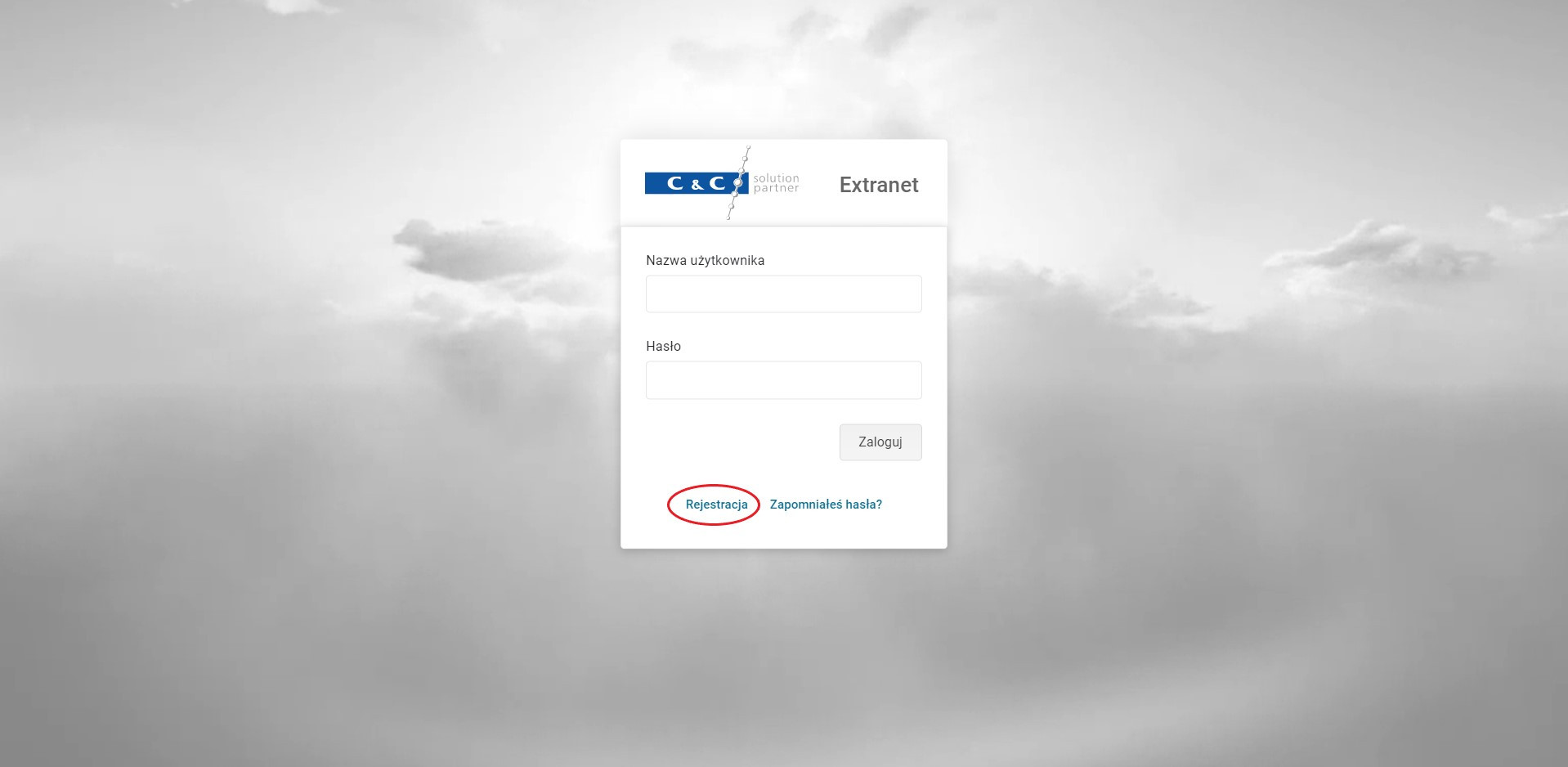
To gain access to our Extranet, please navigate to the login page. You can do this directly from the menu on the homepage by clicking "Extranet", or by clicking one of the Extranet boxes on the "Technical Support" subpage.
Then, in the login window, click "Register".
Step Two to Gaining Access
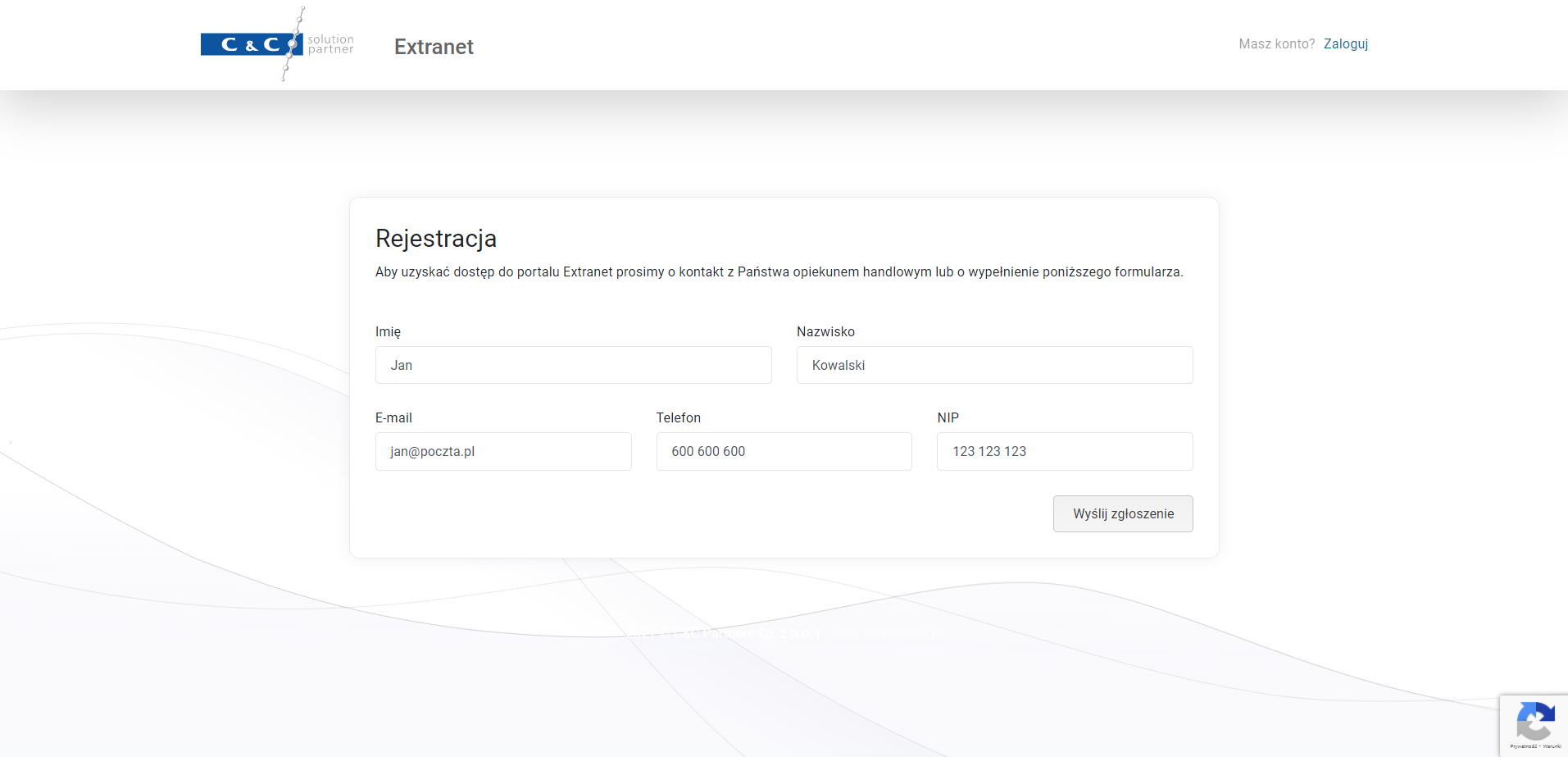
In the second step, please fill in the registration form by completing the following fields:
- First name
- Last name
- Phone
- VAT number
Then click "Submit request".
Step Three – Logging in to the Extranet
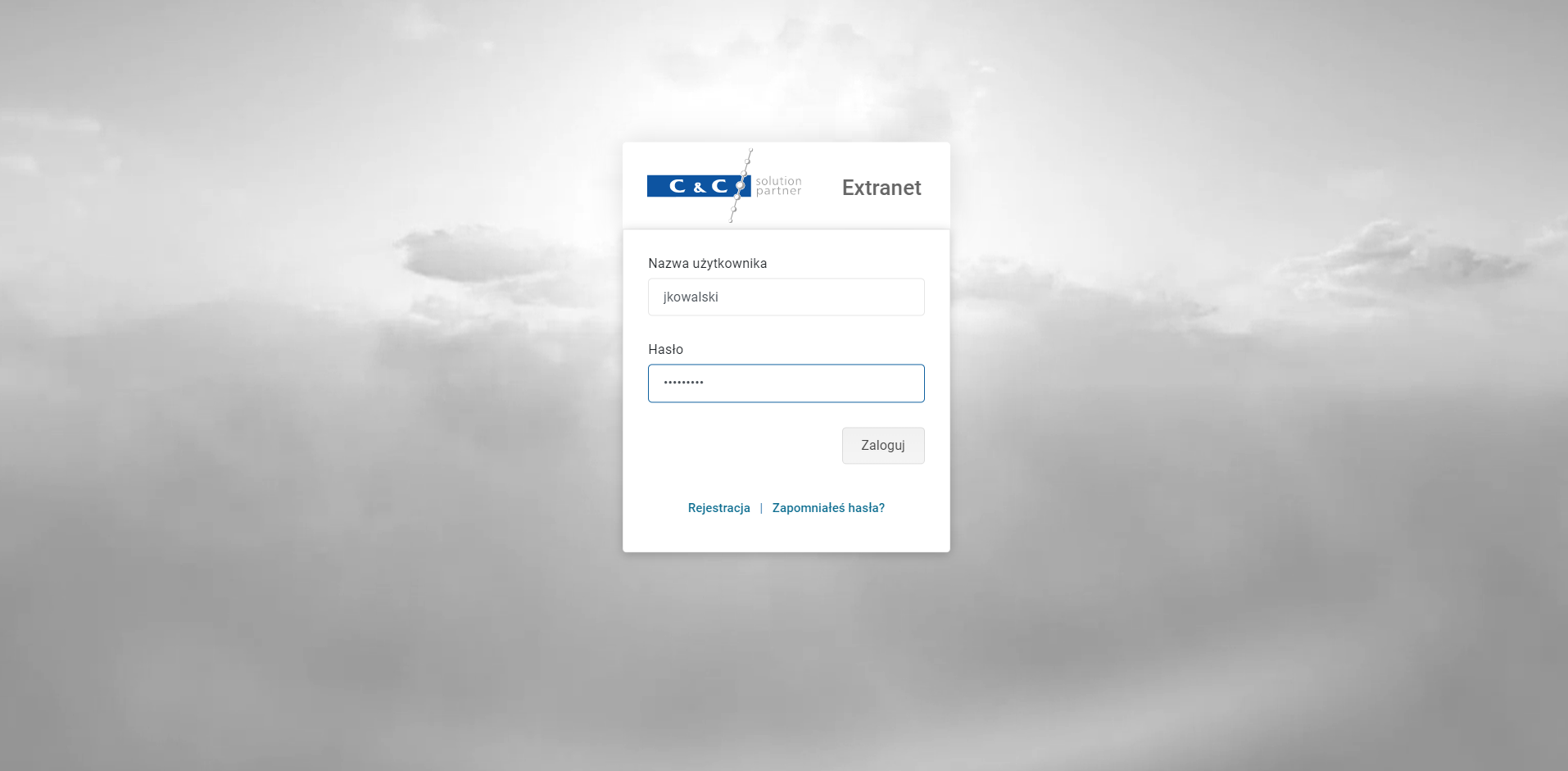
In the third step, a C&C Partners advisor will register the new Partner in the system and send the login credentials by email. Once you have received your access details, you can log in to the Extranet by entering your:
- Login
- Password
Then click "Log in".